Technical SEO Checklist: 30 Checks in the Order That Matters
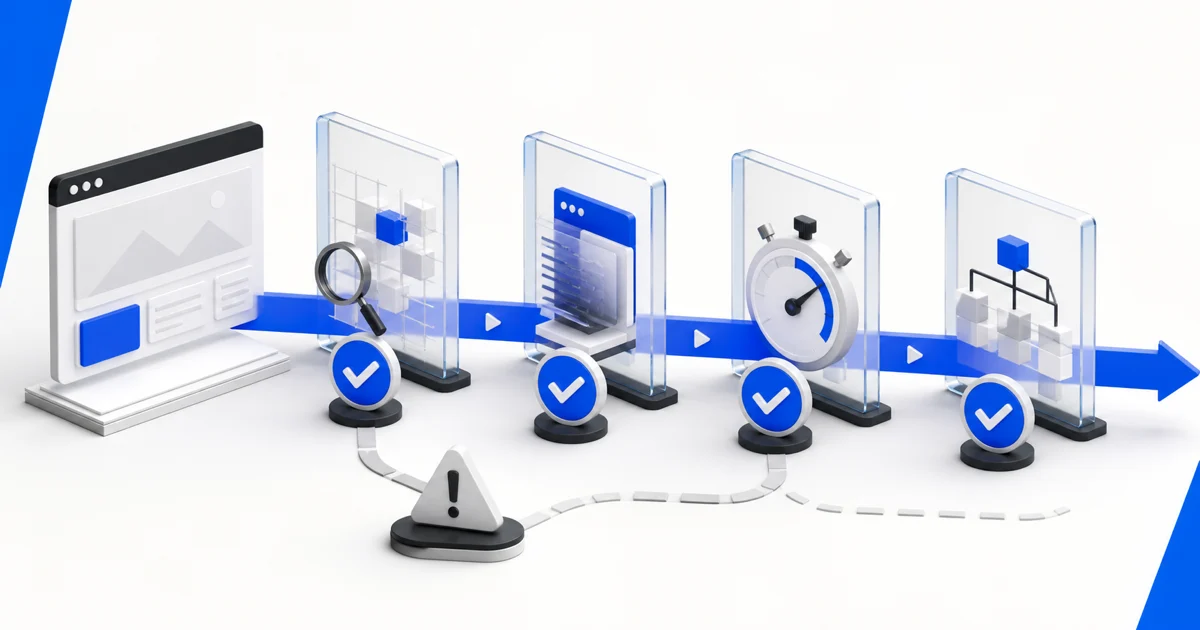
A technical SEO checklist should be worked in this order: make sure your important pages can be crawled and indexed, then make sure their content renders without JavaScript, then fix mobile speed and stability, then clean up site structure, and finally add structured data. On most sites, two or three of the 30 checks below cause most of the damage. The order tells you which to look at first.
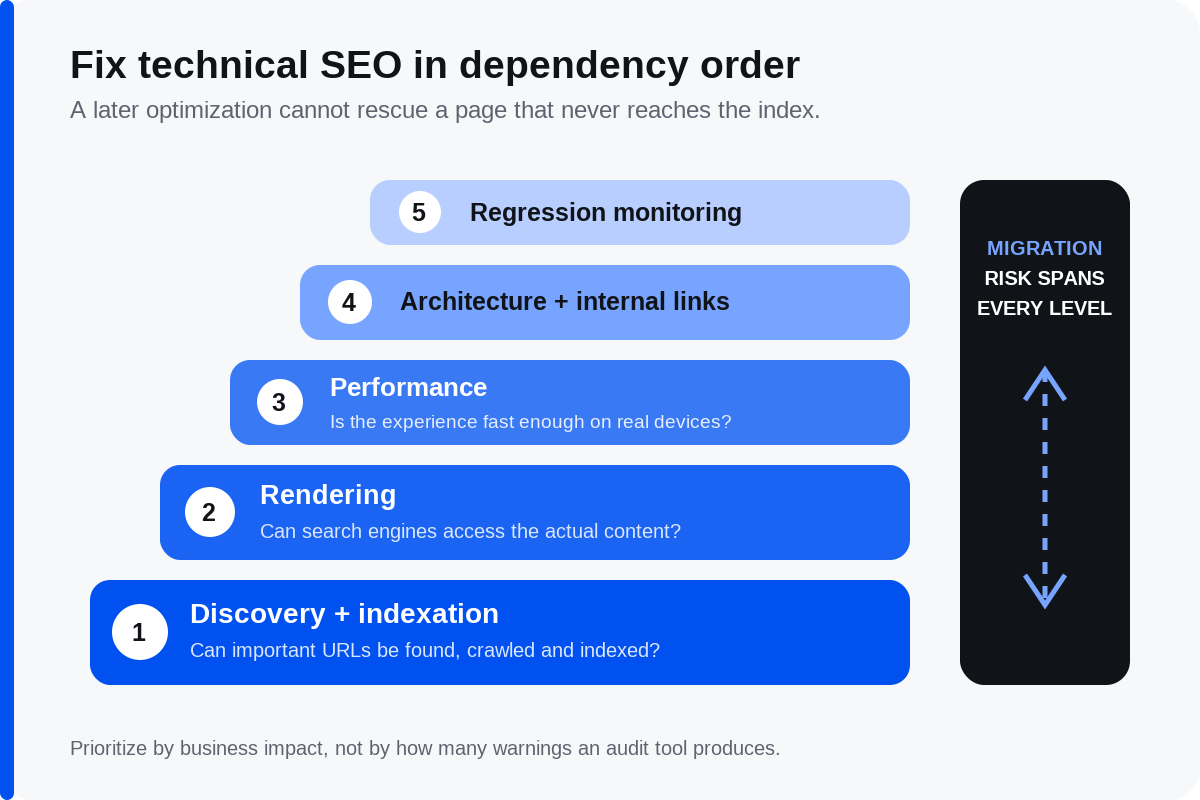
The checklist at a glance
| Tier | Question | Checks | Free tool |
|---|---|---|---|
| 1 | Can pages be found and indexed? | 1-8 | Google Search Console, a crawler |
| 2 | Can content be rendered and understood? | 9-14 | URL Inspection, view-source |
| 3 | Is it fast and stable on mobile? | 15-19 | PageSpeed Insights, CrUX report |
| 4 | Is the structure sound? | 20-25 | A crawler |
| 5 | Is it machine-readable for rich results and AI search? | 26-30 | Rich Results Test, Schema Markup Validator |
Tier 1: Can search engines find and index your pages?
Nothing else matters if the answer is no. The most damaging technical problems live here, and they are usually invisible from the front end.
- Important pages are indexed. In Search Console's Page indexing report, look for money pages listed under "Excluded by 'noindex' tag", "Crawled, currently not indexed" or "Duplicate, Google chose different canonical than user".
- No stray noindex. Search your templates and HTTP headers for
noindex(includingX-Robots-Tag). A noindex left over from staging is one of the most common severe errors. - robots.txt blocks nothing important and lists your sitemap. Test specific URLs against it rather than eyeballing it.
- The XML sitemap lists only indexable, canonical, 200-status URLs, and it is submitted in Search Console. Redirects, 404s and noindexed pages don't belong in it.
- One canonical version of the site. http, https, www and non-www should all reach the same version in a single 301 hop, and HTTPS should be enforced (HSTS once you're confident).
- Canonical tags point to the right URL: self-referencing on unique pages, pointing to the preferred version on duplicates, and never pointing to a redirect or a 404.
- No orphan pages. Crawl the site and compare the URLs found against your sitemap. Sitemap URLs the crawler can't reach have no internal links.
- Important pages sit within three clicks of the homepage. Deeply buried pages get crawled less and receive less internal authority.
Tier 2: Can they render and understand them?
- Main content and links are in the server-rendered HTML. Compare view-source with the rendered page in Search Console's URL Inspection. If the content only appears after JavaScript runs, move to server-side rendering or static generation for pages that need to rank.
- Each indexable page has a unique, descriptive title that leads with the topic.
- Each indexable page has a unique meta description that summarizes the answer, not the brand.
- One H1 per page, and headings in a logical order (H2 for sections, H3 within them) that describe the content rather than decorate it.
- Images have meaningful alt text and file names, and decorative images use empty alt attributes.
- Language and region are declared (
langattribute;hreflangonly if you genuinely serve multiple languages or countries).
Tier 3: Is the site fast and stable on mobile?
Speed affects rankings modestly and conversion rate a great deal, so the business case rarely rests on SEO alone. Judge it on a throttled mobile connection, not office Wi-Fi.
- Core Web Vitals pass on mobile for your key templates: Largest Contentful Paint, Interaction to Next Paint and Cumulative Layout Shift, using field data in Search Console where available. Google documents the thresholds in its Core Web Vitals guide.
- No render-blocking third-party fonts or scripts in the critical path. Self-host fonts, defer non-essential scripts and audit tag managers for forgotten tags.
- Images are sized for the device and served in a modern format (WebP or AVIF), with width and height set to prevent layout shift.
- The hero image (often the LCP element) loads first: not lazy-loaded, ideally with
fetchpriority="high". - Server response is fast and static assets are cached with long cache lifetimes and a CDN where it makes sense.
Tier 4: Is the structure helping or hurting?
- No broken internal links, and internal links point at final URLs, not at redirects.
- No redirect chains or loops. Every old URL reaches its destination in a single 301.
- Real 404s return a 404 status (not a 200 "soft 404"), with a helpful page and no canonical tag.
- One page per search intent. Two pages targeting the same query split signals. Merge them or differentiate the intent.
- Thin or empty pages are noindexed or consolidated: tag archives, empty categories, near-duplicate location pages.
- URL parameters are under control. Sort, filter, tracking and session parameters don't create crawlable duplicates.
Tier 5: Structured data and AI search readiness
- Organization schema with your legal name, logo, contact details and
sameAslinks to the profiles you control. - Page-type schema that matches visible content: Product, Article/BlogPosting, Service, BreadcrumbList, FAQPage. Validate with the Rich Results Test. Never mark up content users can't see.
- AI search crawlers are allowed where you want visibility (for example
OAI-SearchBotfor ChatGPT search), and your CDN's bot protection isn't silently blocking them. - Bing Webmaster Tools is set up alongside Search Console. Several AI answer engines draw on Bing's index.
- Answers are extractable: key pages open with a direct answer and use question-shaped headings. See how to get cited by ChatGPT.
Extra checks for online stores
Stores have problems most sites don't: thousands of template-generated pages, filters that multiply URLs, and products that come and go.
- Faceted navigation: decide which filter combinations match real searches and deserve indexable URLs; block or canonicalize the rest.
- Product variants: one canonical product URL unless variants have distinct search demand.
- Out-of-stock and discontinued products: keep temporarily unavailable URLs live, and 301 permanently discontinued ones to the closest equivalent or the parent category.
- Product schema with price, availability and identifiers (GTIN/MPN) that match your product feed.
- Platform duplicates: on Shopify, for example, products are reachable under collection paths as well as
/products/. Make sure internal links use the canonical product URL.
We cover these in depth on our eCommerce SEO services page, and Shopify specifically on Shopify SEO.
How to run a technical SEO audit in an afternoon
- Google Search Console (free): Page indexing, Core Web Vitals, Sitemaps, manual actions and URL Inspection.
- A crawler such as Screaming Frog (free up to 500 URLs): status codes, redirect chains, titles, canonicals, orphan detection (connect it to your sitemap and Search Console).
- PageSpeed Insights / Lighthouse (free): lab and field speed data per template.
- Rich Results Test and the Schema Markup Validator (free): structured data.
- Bing Webmaster Tools (free): a second view of indexing, and a source several AI engines draw on.
Check one representative URL per template (homepage, category, product or service, article) rather than every page. Problems are almost always template-level.
Pre-launch and migration checklist
Migrations, redesigns and replatforms cause more severe traffic loss than any other technical event, and almost all of it is preventable.
- Map every old URL to its closest new equivalent before launch, and test the 301s on staging.
- Confirm production has no
noindexand no staging robots.txt. - Carry titles, meta descriptions, headings and structured data across, not just body copy.
- Crawl old and new versions and compare page counts, status codes and canonicals.
- Submit the new sitemap, then watch Search Console's indexing and 404 reports daily for the first two weeks.
If a migration is on your roadmap, our technical SEO services team plans and QA's it with you. Prevention costs far less than recovery.
How to prioritize what you find
Score every issue on two things: how much revenue the affected pages carry, and how hard the fix is. A noindex on your best category page is a high-impact, low-effort fix you make today. Missing alt text on blog thumbnails can wait. Fix template-level problems before page-level ones, because one template fix can repair thousands of URLs. Work the tiers in order: a perfect schema setup on pages Google can't index is wasted work.
If you'd rather have it diagnosed and ranked for you, our SEO audit services cover technical health alongside content and authority, and hand you a prioritized roadmap. Or start with a free audit.
Technical SEO myths to ignore
- "You need a perfect PageSpeed score." You need genuinely fast on a real mobile connection. The last few points rarely repay the engineering time.
- "Duplicate content gets you penalized." Search engines filter duplicates and pick one version. The risk is that they pick the wrong one, which canonicals solve.
- "More indexed pages is better." Thin, near-identical pages dilute a site. Removing them is a legitimate optimization.
- "You have to submit your site to Google." Linked, crawlable pages get found. Search Console helps you see what is happening; it doesn't get you indexed by itself.
Google's documentation on crawling and indexing is the authoritative reference for most of the checks above.
Frequently asked questions
What should a technical SEO checklist include?
Indexing and crawl access, JavaScript rendering, titles and headings, mobile speed and Core Web Vitals, HTTPS and redirects, canonical tags, internal linking, duplicate and thin pages, structured data, and access for AI search crawlers. Work them in that order.
How often should I run a technical SEO audit?
Audit your whole site at least once a year and before and after any redesign, migration or replatform. Check Search Console's indexing and Core Web Vitals reports monthly, so regressions such as a stray noindex are caught in days rather than months.
What is the most important technical SEO check?
Whether your important pages are indexed. Speed, schema and structure only matter for pages Google has indexed, so start with the Page indexing report in Google Search Console.
Can I do a technical SEO audit with free tools?
Yes. Google Search Console, PageSpeed Insights, the Rich Results Test, Bing Webmaster Tools and the free version of a crawler such as Screaming Frog cover the core checks for most small and mid-sized sites.
What is the difference between a technical SEO audit and an SEO audit?
A technical SEO audit checks whether search engines can crawl, render and index your site efficiently. A broader SEO audit adds content and keyword coverage, competitors and backlink authority, and ranks every fix by likely revenue impact.